Home / 3D Furniture Rendering / Types of Furniture Product Renders: White Background, Silo, Lifestyle, 360° & Detail Renders

Types of Furniture Product Renders: White Background, Silo, Lifestyle, 360° & Detail Renders

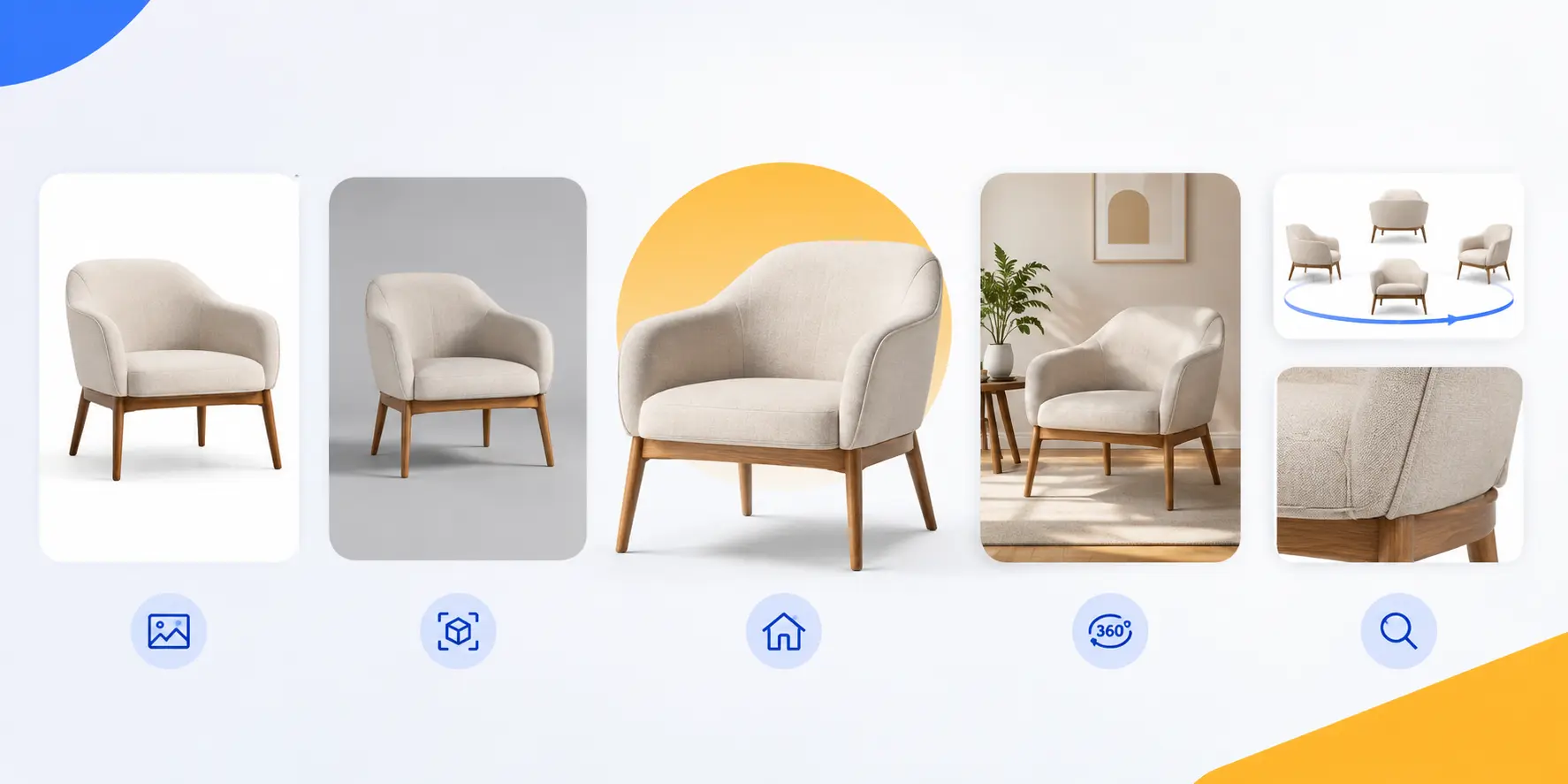
Types of Furniture Product Renders
How Furniture Brands Win the AI Agent Era.2

How Furniture Brands Win the AI Agent Era

Read the Full 3D Guide

Traditional photoshoots are a budget drain 3D furniture rendering services can give brands a more flexible way to create reusable visual assets . After guiding 3D workflows for dozens of US and European furniture brands at Orbe3D, I’ve seen teams burn thousands on physical sets only to end up with static, inflexible assets.

Choosing the right types of furniture product renders shouldn’t be a guessing game. By switching from physical sets to a structured 3D pipeline, our clients consistently boost conversions by 40% across Shopify and Wayfair channels.

In this guide, you will solve asset fatigue with:

  • The 5 core render styles and their exact revenue-generating use cases.
  • Platform-specific requirements for Amazon, Shopify, and major marketplaces.
  • A single-model strategy to slash visual production costs by 60%.
  • High-converting PDP image formulas designed to reduce return rates.

Note: Data built from 50+ studio quotes and 3 years of campaign performance analytics.

Furniture Product Render Types: Comparison

Render Type

Best For

Main Benefit

Typical Cost

Typical Time

White Background

eCommerce, marketplaces, catalogues

Clear product presentation

80–150/image

1–3 days

Silo / Transparent

Banners, ads, social media, marketing

Flexible background placement

Similar to white background + minor cutout fee

1–3 days

Lifestyle / In-Context

PDPs, campaigns, social media, lookbooks

Shows scale, style and emotional appeal

300–2,500+/image

3–7+ days

360° Interactive

Shopify, custom eCommerce, digital showrooms

Lets customers inspect the product from multiple angles

$500+ standalone; lower as an add-on

3–7 days

Detail / Close-Up

Premium, luxury and custom furniture

Highlights materials, craftsmanship and quality

50–150/angle as add-on

1–3 days

Quick Decision Guide

  • Need a clean marketplace product image? → White Background
  • Need flexible marketing assets? → Silo
  • Want customers to imagine the furniture in their home? → Lifestyle
  • Want customers to inspect every angle? → 360°
  • Need to showcase premium materials and craftsmanship? → Detail

Costs and timelines are indicative ranges and can vary based on product complexity, modeling requirements, materials, number of views, revisions, and the rendering provider.

Our Proven Expertise

1100+

Projects Completed

45+

3D Experts

8+

Years Experience

35+

Global Clients

225K+

3D Models Created

See What We Can Create for You

Contact Us

The 5 Essential Types of Furniture Product Renders

Understanding which visual assets drive sales is crucial when scaling a furniture catalog. Each render style serves a distinct strategic purpose along the buyer’s journey, from meeting strict platform requirements to building purchase confidence.

Here is a breakdown of the five core furniture product render styles every brand needs in its asset pipeline:

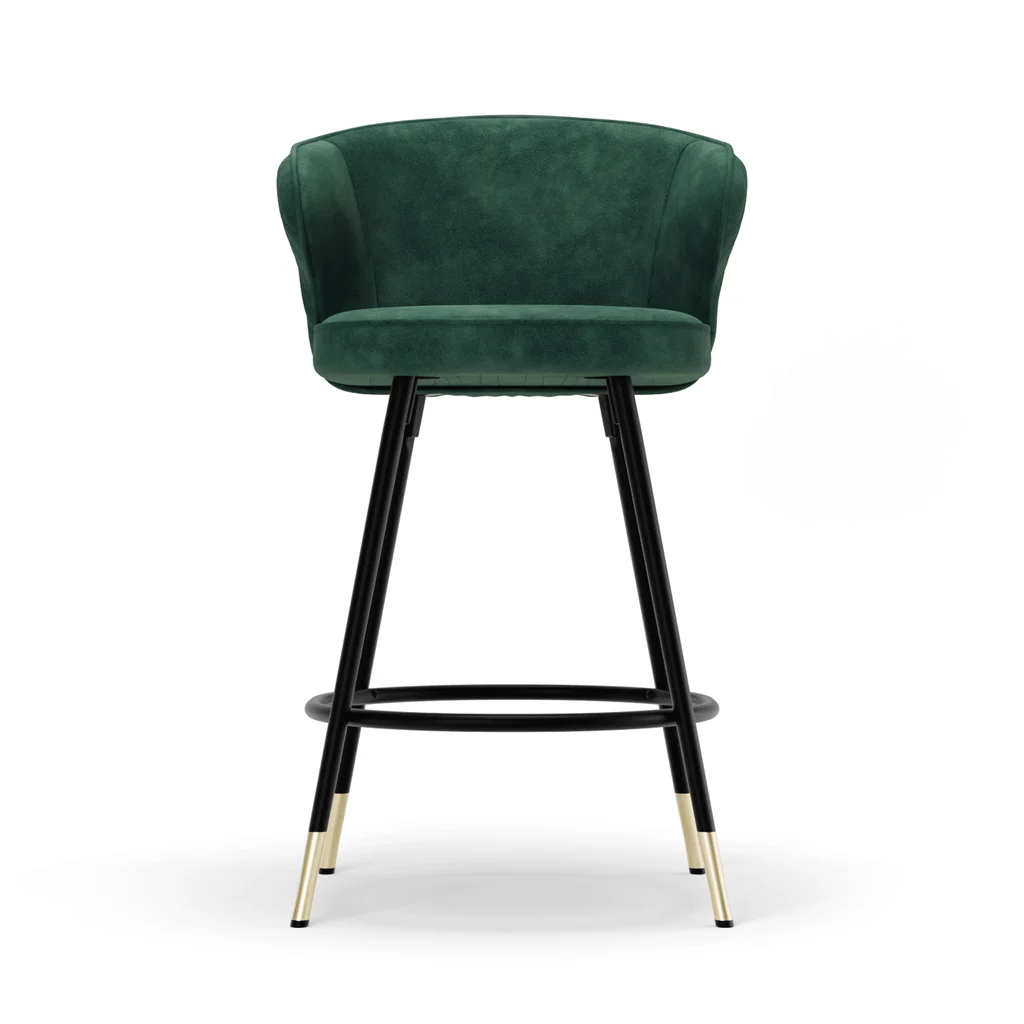
Type 1: White Background Renders – The eCommerce Baseline

What it is:
A clean, studio-lit render of the furniture piece isolated on a pure white or light grey background, with no surrounding environment.
mm3933xA

Key Purpose:
The primary purpose is to present the furniture clearly without visual distractions. These renders help shoppers quickly understand the product’s design, dimensions, shape, color, and overall appearance.

Best Used For:

  • eCommerce product detail pages
  • Marketplace listings
  • Search and category thumbnails
  • Online product catalogues
  • Printed catalogues
  • Wholesale presentations

Platform Match:
White background renders are particularly useful for marketplaces that require or strongly prefer clean product imagery. For Amazon, the main product image generally needs to meet its current image requirements, including a pure white background. Always check Amazon’s latest seller guidelines before production.

Cost:
One of the most affordable furniture render types. 3D furniture rendering typically costs 80–150 per image for a white-background packshot, while freelance artists may charge around 75–250 for straightforward shots. Studio rates for complex models or premium finishes can reach $300 or more.

Time:
Usually, the fastest turnaround because there is no environment to build or light. Expect around 1–3 days once the 3D model exists.

Type 2: Silo Renders -The Transparent Marketing Asset

Definition:
A silo render is an isolated furniture product rendered without a visible background, commonly delivered as a transparent PNG or another format suitable for compositing.
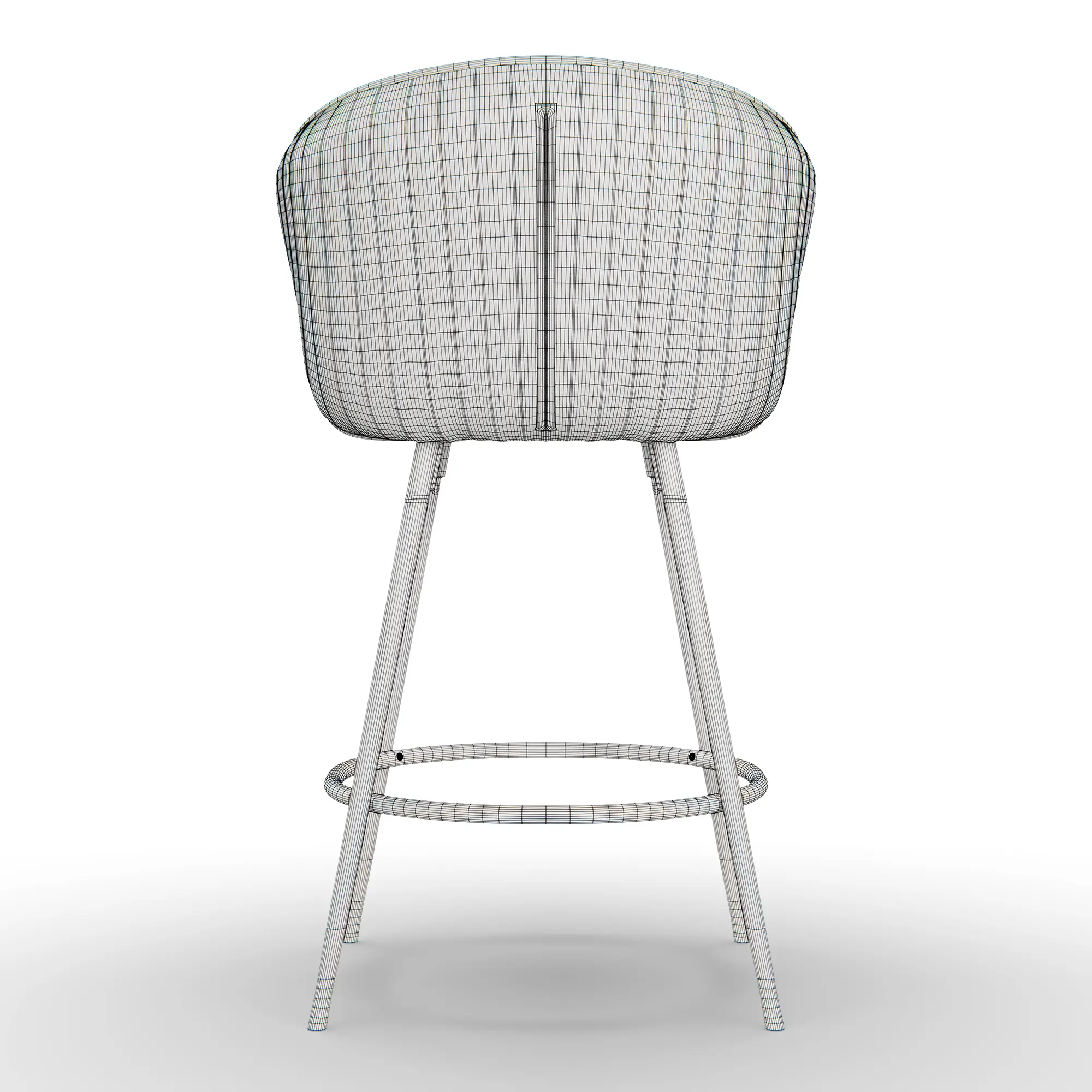
silo render

White Background vs. Silo:
These two render types are often confused. A white background render places the furniture on a white background, usually with controlled studio shadows. A silo render removes the background, allowing the product to be placed over different colors, images, layouts, or marketing designs.

Best Used For:

  • Website banners
  • Promotional graphics
  • Seasonal campaigns
  • Social media creatives
  • Digital advertising
  • Email campaigns
  • Wholesale catalogues
  • Marketing presentations

Why Choose a Silo Render?
The same furniture asset can be reused across multiple campaigns without creating a new scene every time. Designers can place the product over different backgrounds and layouts while keeping the product itself consistent.

Cost:
There is no separate standard market rate for a silo render. It is essentially the same base render with a transparent export, so studios may bill it as the white-background render plus a minor cutout charge or include it in the package. Ask for both outputs from the same render to avoid paying twice.

Time:
Usually the same 1–3 days as a white-background render. Creating the alpha channel adds minutes rather than days.

Note:
The silo pricing above is inferred from how studios commonly bill derivative exports rather than from a separately published market rate. Confirm Orbe3D’s own bundling and pricing before quoting a client.

Type 3: Lifestyle / In-Context Renders-The Emotion Engine

Definition:
A lifestyle render places the furniture product inside a fully styled, photorealistic room, such as a Scandinavian living room, minimalist bedroom, or outdoor patio.
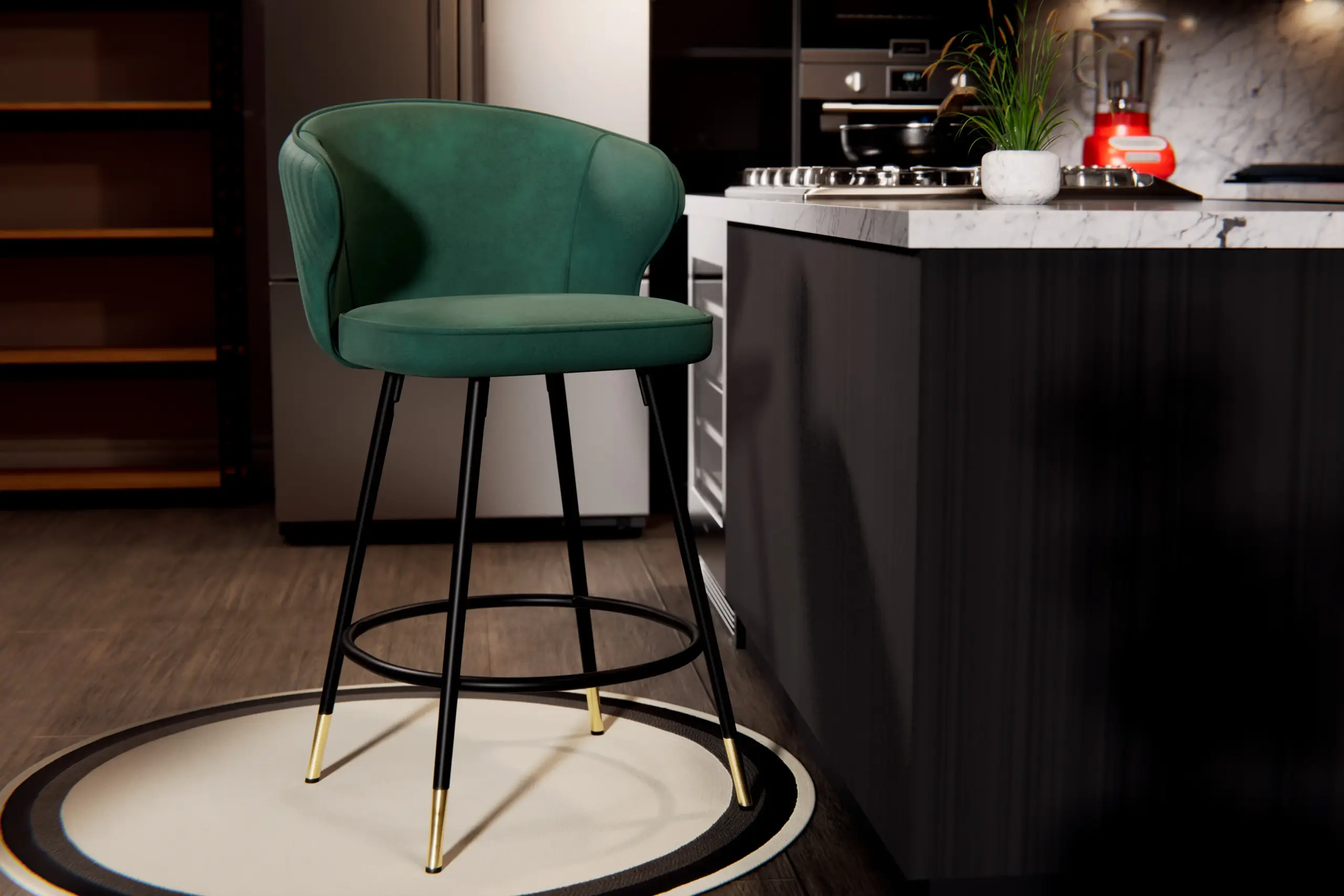
lift style

Key Purpose:
Lifestyle renders help customers understand how the furniture looks and feels within a real-world environment. They communicate scale, design style, color relationships, and atmosphere while helping shoppers imagine the product in their own home.

Best Used For:

  • Secondary product-page images
  • Homepage banners
  • Furniture lookbooks
  • Social media campaigns
  • Instagram and Pinterest content
  • Digital advertising
  • Seasonal campaigns

Which Furniture Benefits Most?
Lifestyle rendering works particularly well for:

  • Sofas
  • Armchairs
  • Dining tables
  • Dining chairs
  • Beds
  • Bedroom furniture
  • Office furniture
  • Outdoor furniture

Platform Match:
Lifestyle imagery is especially useful for furniture brands selling through visual-first channels and websites where inspiration plays an important role in product discovery.

How It Helps:
This is your emotion and scale engine. It helps answer, “Will this fit my space and my taste?” before the buyer asks. It can be particularly valuable on platforms such as Wayfair, Houzz, and Pinterest, where the room setting can be as important as the product itself.

Cost:
Lifestyle renders are generally among the most expensive still images because the studio builds the entire scene around the product, including furniture placement, décor, materials, lighting, and atmosphere. 

A simple scene with a few props may start around $300, while a fully styled interior with custom elements, natural lighting, and high-end finishes can reach 1,000–1,500. Editorial or campaign-grade hero scenes can run higher, around 600–2,500 per image, depending on the level of custom modeling and art direction.

Time:
Plan for around 3–7 days for scene building and lighting, with longer timelines for highly customized environments.

Type 4: 360° Interactive / Spin Renders - The Confidence Builder

Definition:
A sequence of 24–36 rendered frames assembled into an interactive viewer that allows shoppers to rotate the furniture product on the page.

Key Purpose:
A 360° experience helps replicate the experience of walking around a piece of furniture in a showroom. It can reduce “hidden angle” hesitation by allowing shoppers to inspect the front, back, sides, profile, and other visible areas before purchasing.

Best Used For:

  • Shopify product pages
  • Custom eCommerce websites
  • Interactive product catalogues
  • Digital showrooms
  • Product demonstrations

Why It Matters:
Furniture is a large and often expensive purchase. Giving shoppers more control over how they inspect a product can increase product confidence and help them make a more informed purchasing decision.

Business Impact:
A 360° experience can support purchase confidence by giving customers a clearer understanding of the product’s shape and appearance from multiple angles. However, it should be treated as part of a broader product-visual strategy rather than a guaranteed way to reduce returns.

Cost:
This is where the “model once, create many assets” approach becomes particularly valuable. As a standalone commission, a basic 360° spin may start around $500. Once the master 3D model already exists, however, 360° spins can become a much cheaper add-on, potentially around $50 per product, depending on the frame count and viewer requirements. It is generally more cost-effective to order the spin alongside your still renders rather than as a completely separate project.

Time:
Typically 3–7 days, with the timeline driven more by frame count, rendering requirements, and viewer assembly than by the basic rendering process itself.

Type 5: Detail & Close-Up Renders-The Quality Proof

Definition:
High-resolution zoom shots focusing on stitching, wood grain, hardware, upholstery, or functional mechanisms such as soft-close drawers.
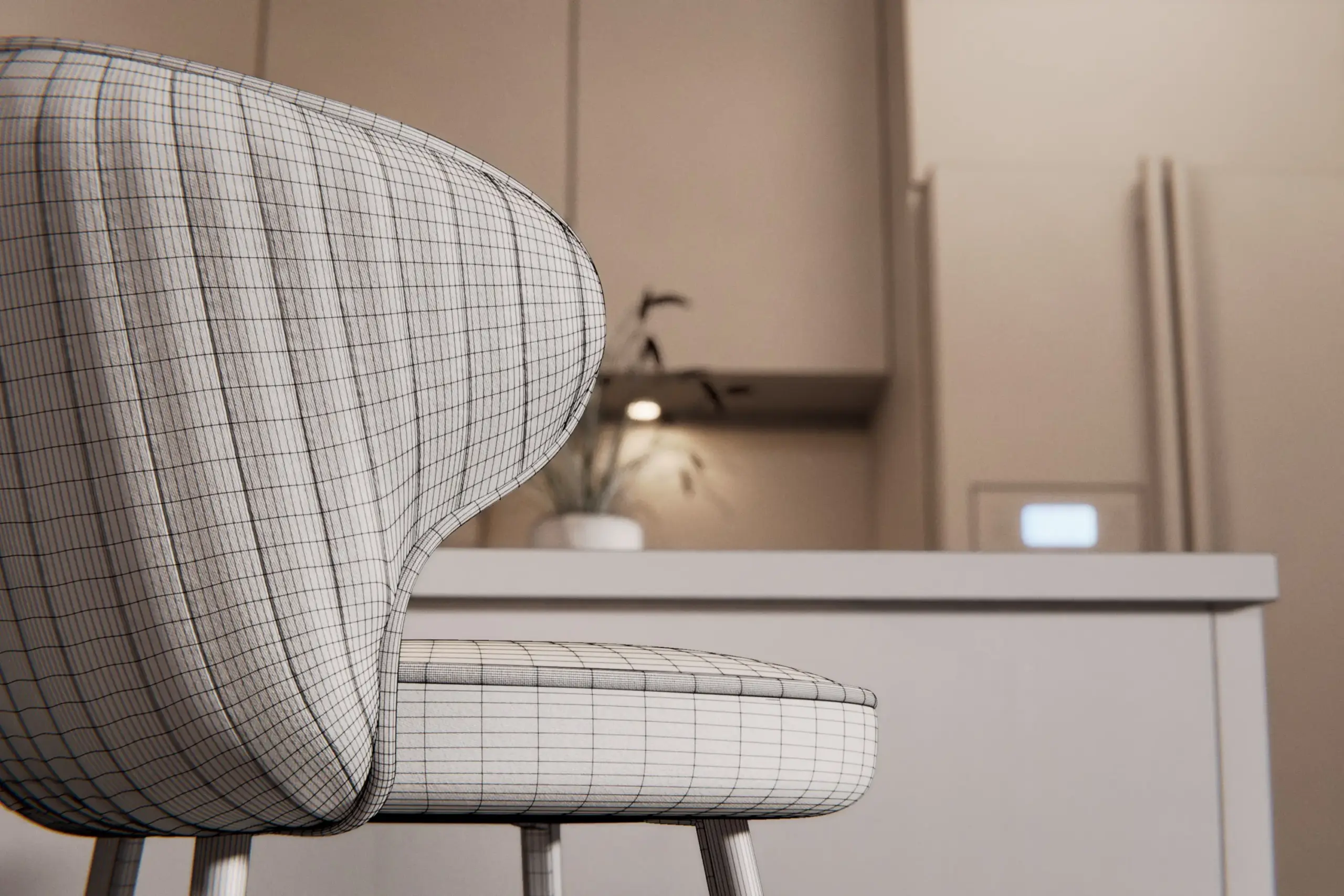
01_Modern_Chair_Close_

Key Purpose:
While a standard product image shows what the furniture looks like overall, a detail render shows why the product is worth its price. It gives customers visual evidence of materials, craftsmanship, construction, and finishing.

Best Used For:

  • Premium furniture
  • Luxury furniture
  • Custom furniture
  • High-end eCommerce product pages
  • Product catalogues
  • Material and finish presentations
  • Advertising campaigns

What Can You Highlight?

  • Full-grain leather
  • Upholstery texture
  • Solid wood grain
  • Stitching
  • Metal finishes
  • Handles and hardware
  • Cushion construction
  • Drawer mechanisms
  • Surface finishes

Why Choose Detail Renders?
For premium products, customers often want to understand the materials and craftsmanship before committing to a purchase. Close-up renders provide that additional visual information and can help communicate the quality behind a higher price point.

Cost:
Detail renders are often priced as additional views from an existing 3D model, which keeps the incremental cost relatively low. Expect roughly 50–150 per angle as an add-on, while a standalone detail shot may cost around 100–300. Additional angles can cost significantly less than creating a completely new model, so it is usually more efficient to include detail shots in the original rendering brief.

Time:
Around 1–3 days when the 3D model and materials already exist.

Note:
Standalone detail-render pricing is inferred from extra-view and add-on rates rather than a dedicated published market figure. Verify the current Orbe3D rate card before using these figures in client-facing pricing.
NOT SURE WHICH RENDERING TYPE
WORKS FOR YOU?

Talk to Our Dedicated Project Consultant

BOOK A CALL

Corrected cheat sheet: render type vs. channel

Render type

Amazon

Shopify / DTC

Wayfair

Social & Ads

White background

Required (main)

Recommended (hero)

Required (hero, isolated)

Low

Silo (transparent PNG)

Not accepted as main

Recommended (banners, modules)

Not for hero (needs solid white)

High (ad compositing)

Lifestyle

Recommended (slots 2-7)

Essential

Required (gallery + scale shot)

Essential

360° spin / 3D-AR

Supported (View in 3D)

High conversion impact

Supported where enabled

Low (repurpose as video)

Detail / close-up

Recommended (secondary)

Essential for luxury/custom

Recommended (zoom-driven)

Medium

Key Note: “Required” means the listing fails or is suppressed without it. Recommended lifts conversion. Optional is situational. Not accepted will be rejected 


Platform spec quick-reference

Platform

Hero / main rule

Min resolution

The gotcha that gets you

Amazon

Pure white RGB 255,255,255, product fills at least 85% of the frame, no props or text 

1,000px min on longest side, 1,600px+ recommended for zoom 

Automated scan rejects anything off pure white, even RGB 252,252,252 

Wayfair

Hero must be pure white, product isolated, no lifestyle or props, 2,000px longest side 

1,000 x 1,000 min, 2,000 x 2,000 recommended 

One non-compliant image fails the entire listing, not just that image 

Overstock / Bed Bath & Beyond

White hero, gallery with silo, lifestyle, and detail

Minimum 3 images at 650 x 650 (dated; reconfirm)

Overstock.com relaunched in 2024 beside Bed Bath & Beyond under Beyond, Inc. 

Shopify / DTC

No platform rules; you set the standard

2,000px+ advised for retina zoom

Total freedom means brand inconsistency is your own risk to police


The Single 3D Model Advantage

The ROI is not in the first image. It is in everything you produce after it without paying again.

One Master Asset, Every Output

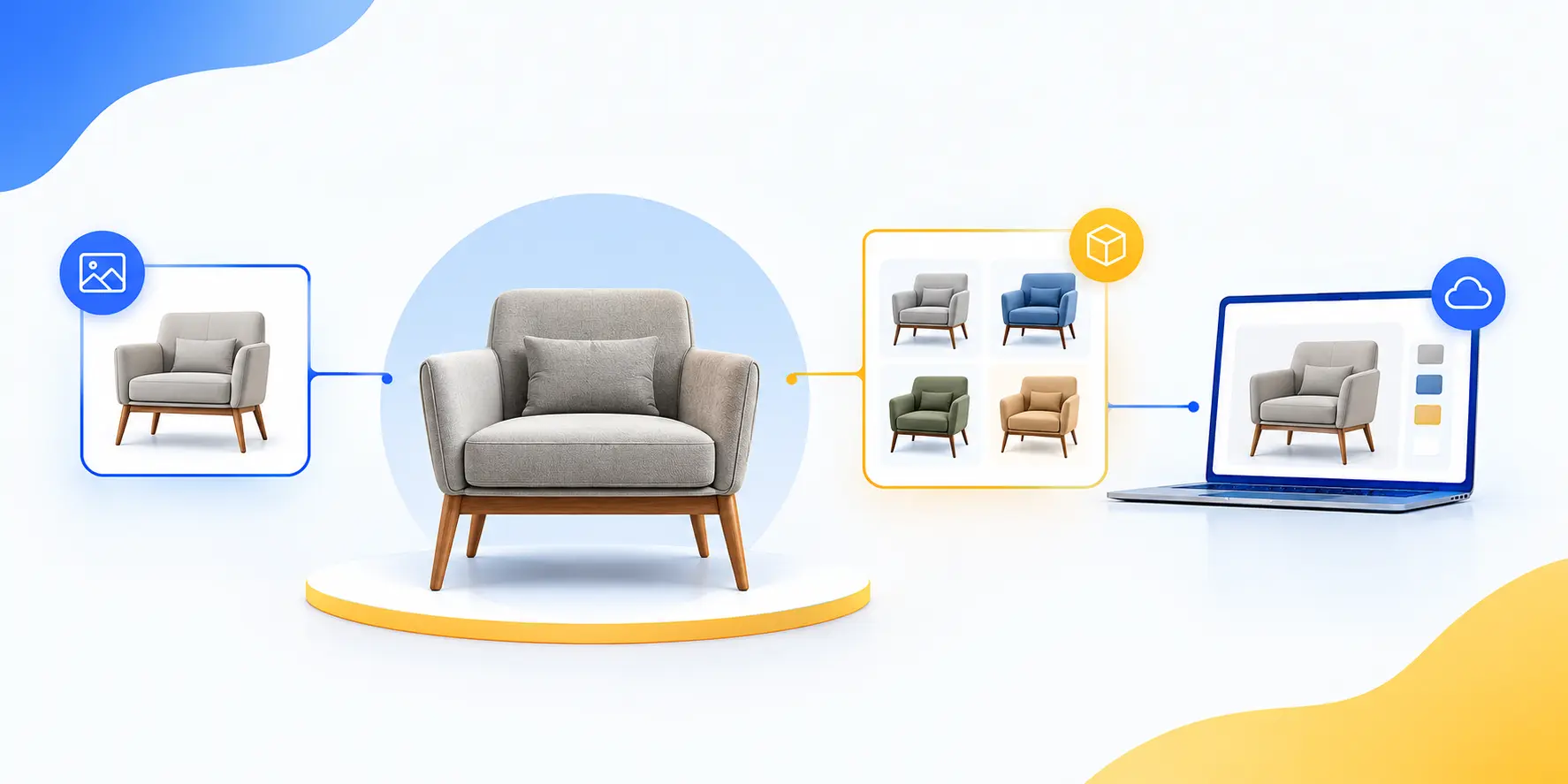
A single 3D master, built from CAD files or reference photos, becomes the source for all five render types and every variant. The first image of an SKU carries the modeling geometry rebuilt from drawings, fabric and wood setup, and lighting. After that, a new colorway, fabric, or hardware finish is a material swap and a re-render, quoted at a fraction of the price of the first image.

One model feeds the white-background hero, silo PNG, lifestyle scenes, 360° spin, detail shots, and AR files. You build the sofa once and render 60 fabrics.

Photography vs. 3D Over Time

Cost factor

Traditional photography

3D rendering

Physical sample

Shipped per SKU, every shoot

Not needed; render from CAD

Studio and crew

Location, lighting, stylist, photographer

One-time modelling, no studio

New colourway or fabric

Full reshoot

Material swap, re-render

New angle

New session

Re-render from existing model

Lifestyle scene

Travel, set dressing

Swap the digital environment

Recurring cost

High, repeats every launch

Low, asset is reusable

Net effect over a catalog lifecycle: 3D can be significantly cheaper than traditional photography. The savings compound with variants, reshoots, and catalog size.


The Caveat That Keeps You Credible

3D does not win on a single one-off image. For one hero shot of one product, photography and 3D can cost about the same. The savings compound with variants, reshoots, and catalog size.

Say “up to 60–70% over the catalog lifecycle,” not “60–70% cheaper per image.”


The 6-image pack is sound. Its strength is not the count. It is that each slot answers a specific buyer objection in sequence, moving the shopper from “what is it” to “buy.”

Slow

Render type

Objection it kills

Platform note

1

White background, front hero

What exactly am I buying?

Amazon main and marketplace hero

2

Lifestyle, full room

How does it look in a real space?

Product gallery

3

Lifestyle, alternate angle or styling

Does it match my aesthetic?

Pinterest and Instagram

4

Detail close-up

Is the quality worth the price?

Helps justify premium pricing

5

Dimension / scale infographic

Will it actually fit my room?

Use on secondary slots

6

360° spin or detail shot

What does the rest of it look like?

Best delivered as an interactive module

Two Refinements Worth Making

Make the dimension render mandatory. For furniture, size uncertainty is a major purchase concern. A dimension or scale image helps customers understand whether the product will fit their space.

Keep material variants in the variant selector. Instead of using a static gallery slot for a material variant, use the slot for another detail, assembly, or packaging view. A 360° spin can also be delivered as a separate interactive viewer rather than taking up a static image slot.


Conclusion 


We’ve seen that the biggest mistake furniture brands make is treating every product image as a separate asset. The real advantage comes from building one accurate 3D master and using it to create the right visuals for each buying stage-from white-background and silo renders to lifestyle, 360°, and detail views. Choosing the right types of furniture product renders can help you avoid repeated photography costs, speed up product launches, and give shoppers the information they need to buy with confidence.

The risk of waiting is simple: every new color, fabric, angle, or campaign can become another production expense.

Our free trial gives you a practical way to test the workflow before committing to a larger catalog.

Start your free trial today. Send your CAD file or product reference and see what your furniture can become in 3D.


Frequently Asked Questions About Furniture Product Renders

1. What file formats are commonly used for furniture product renders?

JPG, PNG, TIFF, and WebP are commonly used. PNG is preferred for transparent silo renders.

2. What resolution should furniture product renders be?

Use the resolution required by your marketplace or marketing channel. Higher resolution is better for zoom and detailed views.

3. Can furniture renders show different colors and materials?

Yes. Colors, fabrics, wood, leather, and metal finishes can be changed digitally.

4. Can furniture renders be created from CAD files?

Yes. CAD files provide accurate product dimensions and geometry for 3D modeling.

5. Can furniture renders be used for print and digital marketing?

Yes. High-resolution renders can be used for websites, catalogs, ads, brochures, and social media.

Overview

How Furniture Brands Win the AI Agent Era.2

How Furniture Brands Win the AI Agent Era

Read the Full 3D Guide

Every engaging element on our site and in our promotions has been handcrafted by the Orbe3D Content Marketing Team.

FREE FIRST RENDER

See your product in 3D before you commit.

Send one product and we'll show you what photoreal 3D looks like for your brand. No shoot, no samples, no risk.

Get 3D & AR insights
by subscribing

Stay up-to-date with new features, trends, and

special offers.

15% Off for New Client

Submit your email and get 15% OFF – use your discount whenever you’re ready. Claim your offer before it’s gone.

We value your privacy. Your email will be kept strictly confidential and used only to send updates and special offers. We do not sell or share your information. View our Privacy Policy.